
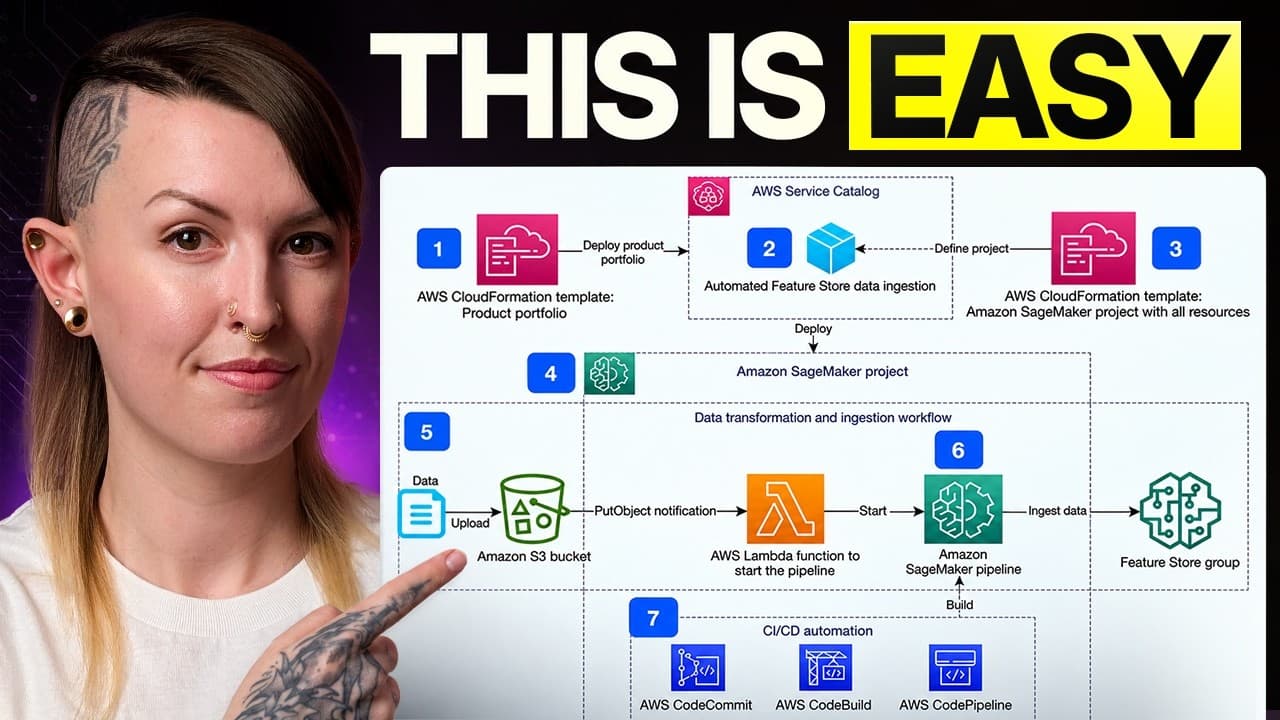
If you're learning AWS for machine learning, there are really only six AWS skills you need to learn first: IAM and billing, S3, EC2, SageMaker AI, Bedrock, and CloudWatch.
The problem is, AWS has hundreds of services to choose from, so it's really easy to waste time learning stuff you won't use, or just get overwhelmed and quit.
I've spent seven years building production AI and ML systems, including four at Amazon. In this guide I'll show you the six things I'd focus on, what I'd ignore for now, and how they fit together into an actual ML system. By the end, you should be able to look at an AWS architecture diagram without freaking out, and know what you actually need to learn next.
The short version
| # | What to learn | Why it matters for ML |
|---|---|---|
| 1 | IAM, Cost Explorer and Budgets | Who is allowed to do what, and knowing when AWS starts charging you |
| 2 | S3 | Where your training data, model artifacts and predictions live |
| 3 | EC2 | The hardware underneath almost every ML service |
| 4 | SageMaker AI | Training and deploying your own models |
| 5 | Bedrock | Building on top of existing foundation models like LLMs |
| 6 | CloudWatch | Logs, metrics and alarms for when something breaks |
1. Foundations: IAM and billing
Before we get into the actual ML services, there are two really important, kind of boring things you need to understand first: permissions and billing.
IAM: users, roles and policies
Before you can run a training job, upload data, or call a model, AWS needs to know whether you're actually allowed to do that. That's what IAM, or Identity and Access Management, handles.
IAM is basically the permission system for your AWS account. Every time you try to do something in AWS, it checks: who are you, and are you allowed to do this?
There are three concepts I'd learn here:
- A user is generally an identity for a person.
- A role is a temporary identity that a person or AWS service can assume.
- A policy is a set of rules that says what that identity is allowed to do.
You just need to understand those three ideas well enough that when you get an "Access Denied" error, you have some idea where to look.
Cost Explorer and AWS Budgets
Once AWS lets you do things, there's one other problem you want to catch early: runaway bills.
Cost Explorer is where you can see what you're spending money on. You can break your bill down by service, region, and time period, so if something suddenly starts costing more than you expected, you can figure out what it is.
From there you can set up AWS Budgets. Budgets lets you create a spending threshold and get an alert when you cross it. There's even a Zero Spend template that can warn you when you start going beyond the free tier.
One really important thing though: a budget does not automatically shut anything down. It just alerts you. So especially while you're learning, I'd turn that on before you start launching anything expensive.
That's really all I'd learn in terms of foundations for now. Understand who can do what, and make sure you know when AWS starts charging you. Then you're ready for the first thing that shows up in almost every ML system: somewhere to put your data.
2. S3: where your data lives
So now AWS knows what you're allowed to do, and you've got billing alerts set up. The next question is: where does all of your data go?
Your training data, images, documents, model files... all of that needs somewhere to live. In AWS, that's often S3, or Simple Storage Service.
S3 is basically file storage in the cloud. AWS calls this "object storage," but for now you can mostly think of it as the place you put files that other AWS services need to use.
And S3 shows up everywhere in machine learning. A really common workflow looks like this:
- Your training data lives in S3.
- SageMaker reads that data, trains your model, and saves the finished model back into S3.
- Then you might generate a bunch of predictions and store those in S3 too, before moving them somewhere else later.
So S3 ends up being the storage layer connecting a lot of the pieces in your ML system. There are really only a few concepts I'd learn at first.
Buckets and keys
A bucket is the top-level container where your files live. Every file inside that bucket has a key, which is basically its full name or path. So you might have something that looks like:
data/train/images.csv
That looks like a normal folder structure, but S3 doesn't really have folders. The whole thing is just the key for that object.
Regions
An S3 bucket lives in a specific AWS region, and generally you want your data in the same region as the services using it. Otherwise you can make things slower and potentially pay extra to move data around.
Storage classes
Storage classes are different pricing options depending on how often you need to access the data. If you're actively training on something, you'll probably want it readily available. If you're archiving old data that you almost never touch, AWS has cheaper options for that.
You do not need to memorize all the storage classes. Just look them up when you need them.
Getting data in and out
Finally, you should know how to get data in and out of S3. You can do that through the AWS console, the AWS CLI, or from Python using a package like boto3.
That's enough to get started. If you understand buckets, keys, regions, and how your ML jobs read and write data from S3, move on. Because once the data is ready, you need something to actually do the computation.
3. EC2: the hardware underneath
Your data is sitting in S3. Now you need some kind of virtual machine to actually do something with it.
This is where AWS can get confusing, because even if you never launch a virtual machine yourself, you're still going to keep seeing names like g5.xlarge when you train or deploy models. Those names come from EC2.
EC2 lets you rent a computer in AWS. You choose the hardware you want, start it up, use it for as long as you need it, and pay while it's running.
As a beginner in ML, I would not spend a bunch of time learning how to manage EC2 instances directly. But I would learn how the hardware works, because a lot of the managed ML services you'll use later are running on the same kinds of machines underneath.
Instance families
For example, SageMaker might ask you to choose an instance like ml.g5.xlarge. The g5.xlarge part tells you what kind of machine you're paying for.
There are a ton of instance families, and again, please do not go memorize all of them. You just need to recognize a few of the common categories:
| Family | What it's for |
|---|---|
| M | General purpose |
| C | CPU-focused compute |
| R | More memory |
| T | Cheaper option for workloads that only need bursts of compute |
| G | GPUs for inference, development, and some model training or fine-tuning |
| P | Much more expensive GPUs for larger training workloads |
For machine learning, the ones you'll probably care about most are the GPU families, G and P. It's helpful to be able to look at the hardware options and roughly understand which one makes sense for the kind of work you're doing, and what's best for your budget.
On-Demand vs. Spot
There's one more EC2 concept worth knowing.
On-Demand is basically what it sounds like. You ask for the machine, pay the normal price, and keep it until you shut it down.
Spot uses spare AWS capacity at a big discount. But there's a catch: AWS can take that machine back. That can be great for something like a training job where you're saving checkpoints and can restart if the machine disappears. It's a lot less useful for something that absolutely has to stay online.
That's about as deep as I'd go on EC2 at first. Understand what an instance is, recognize the major CPU and GPU families, and understand the basic tradeoff between On-Demand and Spot. You can learn how to manage EC2 directly later if you actually need it, because for most ML work you'll probably use a managed service that handles those machines for you.
4. SageMaker AI: training and deploying your own models
At this point, you've got your data in S3 and you understand the basic idea of renting compute with EC2.
But you probably don't want to manually launch a machine, connect to it, install everything, run your training script, save the model somewhere, and then remember to shut the machine down when you're done. That's basically the problem SageMaker solves.
If you're training your own machine learning models on AWS, SageMaker is one of the main services you'll use. You give it your code, tell it where your data lives in S3, choose what kind of compute you want, and SageMaker handles running the job and saving the output for you. So instead of managing the infrastructure yourself, you can focus a lot more on the actual ML work.
SageMaker has a ton of features, but there are really only a few things I'd understand first.
SageMaker Studio
Studio is your browser-based workspace for SageMaker. You can use notebooks, write code, and access a lot of the other SageMaker tools from one place.
Processing jobs
Processing jobs are temporary jobs for the work around training, like cleaning your data, splitting it into training and test sets, creating features, or evaluating a model.
You're going to notice a pattern here. With a lot of SageMaker, you tell AWS what you want to run, choose how much compute it needs, and SageMaker spins that compute up for the job and gets rid of it when you're done.
Training jobs
Training jobs work the same way, and this is probably the most important piece to understand.
Your training data is in S3, SageMaker runs your training code on whatever hardware you chose, and when it's finished, the trained model gets saved back to S3. That finished file is usually called a model artifact, which is just the saved output from training that you'll use later to make predictions.
This is one of the biggest reasons SageMaker is useful. Maybe your laptop doesn't have a GPU, or maybe you need a really expensive GPU for two hours and then you're done with it. You can rent that hardware for the job without having to manage the machine yourself.
Inference options
Once the model is trained, you need some way to actually use it. That's inference, which just means giving the model new data and getting a prediction back. SageMaker gives you a few ways to do that depending on what your product needs:
- Batch Transform is for when you have a big pile of data and don't need the results immediately. Maybe once a day you want to run predictions across a million rows. You start the job, SageMaker processes the batch, saves the results, and then the compute goes away.
- Serverless inference lets you serve smaller models without choosing or managing an instance. It can scale down when nobody is using it, which makes it useful when traffic is inconsistent.
- Real-time endpoints keep compute running all the time so your model can respond with low latency. This is what you'd use behind a product where users expect an answer immediately.
- Asynchronous inference is for requests that take longer or send larger amounts of data, where you don't want someone holding an HTTP connection open until the model finishes.
What to ignore for now
This is where I'd resist the urge to learn everything upfront. You should be aware of things like Model Registry for tracking and approving model versions, Pipelines for chaining your ML workflow together, and Feature Store for managing features across training and inference. But learn them when you have a project that actually needs them.
The SageMaker mental model
For now, the mental model I want you to have is really simple:
- Data starts in S3.
- A processing job gets the data ready.
- A training job trains the model.
- The finished model gets saved back to S3.
- You use some form of inference to make predictions.
If you understand that flow, you understand the core of SageMaker.
But there's one pretty big assumption in everything we just talked about: you're training the model yourself. What if you just want to use an existing model like an LLM? That's where Bedrock comes in.
5. Bedrock: building on foundation models
If SageMaker is what you use when you're training your own models, Bedrock is what you'll use when you're building on top of an existing foundation model.
Bedrock gives you access to a bunch of different foundation models through AWS without having to manage the infrastructure underneath them. Instead of figuring out how to host the model, keep GPUs running, and scale everything yourself, you call Bedrock and AWS handles that part for you.
You can choose from models from Amazon and a bunch of other providers, including Anthropic, Meta, Mistral, Cohere, and others. And because Bedrock puts them behind a similar interface, switching models is usually much easier than rebuilding your whole application.
Real-time vs. batch inference
Once you've picked a model, there are two main ways to use it.
Real-time inference means you send the model a prompt and get a response back immediately. That's what you'd use behind a chatbot or some other product feature where someone is sitting there waiting.
Batch inference means that instead of sending requests one at a time, you put a big file of prompts in S3, Bedrock processes them asynchronously, and writes the results back to S3. This is useful for things like classifying a backlog of support tickets, evaluating a prompt over a test set, or generating embeddings for a large dataset.
Notice that this is basically the same pattern we just saw in SageMaker. Real-time is for when somebody needs the result now, and batch is for when it can wait.
Knowledge Bases
One of the other really useful parts of Bedrock is Knowledge Bases, which is basically managed RAG.
RAG stands for retrieval-augmented generation, but the basic idea is pretty simple: you have your own documents, and when someone asks a question, the system finds the relevant pieces of those documents and gives them to the model along with the question. That lets the model answer using your data instead of relying only on what it learned during training.
Normally, building that yourself means you need to split the documents into smaller pieces, convert those pieces into a numerical representation the computer can search, store them somewhere, and then retrieve the right ones for each question.
Knowledge Bases can handle a lot of that for you. You point it at your documents in S3, and AWS handles much of the process of preparing them and retrieving the relevant pieces when someone asks a question.
AgentCore
There's one other Bedrock area I'd at least be aware of: AgentCore. AgentCore is a set of services for running AI agents. So instead of only answering a question, you might build something that can look up an order, call another system, process a return, and escalate to a human if it gets stuck.
Once all of these systems are running, eventually something is going to break. When it does, you need to know where to look.
6. CloudWatch: logs, metrics and alarms
CloudWatch is AWS's service for logs, metrics, and alarms, and pretty much everything you run in AWS will send information into it.
Logs
CloudWatch organizes logs into log groups and log streams. A log group is one source of logs, and a stream is one specific instance of that source.
For example, SageMaker sends the output from your training jobs into CloudWatch. If your training script crashes, the error you see in the SageMaker console might only be a short summary. The full Python traceback, the detailed error showing you where your code failed, is usually in CloudWatch.
CloudWatch also has Logs Insights, which lets you search and query across your logs instead of clicking through them one at a time.
Metrics
Metrics are numeric values over time, like request latency, number of endpoint invocations, CPU usage, or GPU utilization. AWS publishes a lot of these automatically, and you can also publish your own metrics from your code.
Alarms
An alarm watches a metric and triggers when it crosses some threshold. For example, if the latency on your inference endpoint gets too high, you can create an alarm that sends you a notification.
You really don't need to know much more than that to get started. Understand where to find your logs, what metrics are being tracked, and how alarms work.
And with that, we've covered the core AWS services you should start with for ML.
AWS services you already understand under a different name
A lot of the rest of AWS gets much easier once you realize these aren't totally new concepts. They're usually managed versions of tools you may already know.
So instead of trying to "learn" every other service, it makes more sense to start with the underlying concept and then figure out what AWS calls its version of it.
| If you already know... | AWS's version is... |
|---|---|
| Workflow orchestration with Apache Airflow | MWAA (managed Airflow) |
| Large-scale data processing with Spark | Glue and EMR |
| Running SQL directly on files | Athena |
| A traditional data warehouse | Redshift |
| Relational databases like Postgres or MySQL | RDS |
| A fast NoSQL key-value store | DynamoDB |
A bit more context on each:
- MWAA is basically managed Airflow. You write workflows in Python, and AWS handles running the Airflow infrastructure for you.
- Athena lets you run SQL against files in S3 without first loading them into a database.
- Redshift is where a company with a lot of structured analytics data that people constantly query with SQL might keep it.
- RDS is AWS running those relational databases for you and handling a lot of the infrastructure around them.
- DynamoDB is for really fast access to things like user state, metadata, configuration, or model outputs.
You don't need to learn all the details of every service. Think about what kind of task you need to do, figure out which AWS service maps to it, and then learn that service when you actually need it.
On a lot of ML teams, the data engineering or platform teams might own a lot of this infrastructure anyway, or at least work with you to come up with the design.
The services you'll build with software engineers
There's one more group of AWS services worth understanding, because these are the ones you're much more likely to work with when you're turning a model into an actual product. As an ML Engineer you may work with these directly, or in collaboration with software engineers on your team.
- Lambda runs small pieces of code when something happens. Maybe a file gets uploaded to S3 and you want to automatically process it, or someone sends a request from an app and you need to call Bedrock and return the response. Lambda lets you run that code without keeping a server running all the time.
- ECR is a place to store your Docker images. If you build a custom environment for SageMaker training or inference, you can package everything into a Docker image and store it in ECR.
- Step Functions puts a bunch of steps together into a pipeline. Maybe you want to process some data, train a model in SageMaker, evaluate it, and only deploy it if the model performs well enough. Step Functions lets you define that sequence, including what should happen if something fails or needs to be retried.
You'll probably notice that Step Functions sounds a little like Airflow from the last section, and it is. There are often multiple AWS services that can solve similar problems, and which one you use depends on what the rest of your system already looks like.
How to actually learn AWS for machine learning
I've thrown a lot of AWS service names at you. But remember, the goal is not to memorize all of AWS. It's to understand the handful of services you're actually likely to use, and then learn the rest as you need it for whatever you're building.
Skip the certifications (mostly)
If your goal is to become a better ML Engineer, I would skip the AWS certifications. A certification mostly tests whether you can recognize a bunch of AWS services and answer questions about them on an exam.
That's not useless, especially if a job specifically wants one, but it's a pretty different skill from being able to design and build an ML system.
Do mock system designs instead
After learning the basics, I'd spend that time doing mock system designs. Pick a problem and literally draw out the whole thing:
- Where does the raw data go?
- What processes it?
- What trains the model?
- Where does the model artifact get stored?
- How does someone actually get a prediction?
- If something breaks, where would you look?
You can do this without spending any money on AWS, and it forces you to actually understand why each service exists instead of just memorizing the name.
Then build something small
Eventually, you do need to build something, and I'd keep the first project pretty small.
- For a traditional ML project: put some data in S3, run a SageMaker training job, save the trained model back to S3, and then generate predictions with Batch Transform.
- For an AI Engineering project: do the Bedrock version. Put some documents in S3, create a Knowledge Base over them, and build something that can answer questions using your own data.
That's honestly the fastest way I know to learn cloud services. Learn enough to build the next thing, build it, get stuck, and then learn whatever you need to get unstuck.
Want help building a real project?
I run a small, application-only build cohort where I personally work with a handful of people over eight weeks to build their own production-ready AI Engineering projects. We go through choosing and scoping the project, building it, and taking it all the way through deployment.
It's not for complete beginners. You should already be comfortable with Python and core AI engineering concepts. But if you know the basics and you're not sure how to turn them into something that actually gets you closer to a job, that's exactly what we work on. Learn more here.
For more breakdowns of what actually matters for AI and ML engineering, without having to learn every tool that exists, you can find me on YouTube.
Frequently asked questions
What AWS services should I learn first for machine learning?
Start with six: IAM plus billing tools (Cost Explorer and AWS Budgets), S3 for storage, EC2 for understanding the hardware, SageMaker AI for training and deploying your own models, Bedrock for building on foundation models, and CloudWatch for logs, metrics and alarms. Learn everything else when a project actually needs it.
Do I need an AWS certification to become a machine learning engineer?
Usually not. A certification mostly tests whether you can recognize AWS services and answer exam questions about them, which is a different skill from designing and building an ML system. It can be worth it if a specific job asks for one, but mock system designs and small projects are a better use of your time.
What is the difference between SageMaker and Bedrock?
SageMaker AI is for training and deploying your own machine learning models. Bedrock is for building on top of existing foundation models, like LLMs from Amazon, Anthropic, Meta, Mistral and Cohere, without managing the infrastructure underneath them.
Which EC2 instance types are used for machine learning?
The GPU families. G instances are commonly used for inference, development, and some model training or fine-tuning. P instances are much more expensive GPU machines used for larger training workloads.
How do I avoid a surprise AWS bill while learning?
Set up AWS Budgets before you launch anything expensive. The Zero Spend template alerts you when you go beyond the free tier. A budget only alerts you and does not shut anything down, so use Cost Explorer to find what is actually costing money.
What is a good first AWS project for machine learning?
Keep it small. For traditional ML, put data in S3, run a SageMaker training job, save the model back to S3, and generate predictions with Batch Transform. For AI Engineering, put documents in S3, create a Bedrock Knowledge Base over them, and build something that answers questions using your own data.